
Emails your customers get
Which emails go out on their own, which go when you press Send, and how to turn each one on or off.
Sent when you press Send
Quotes, invoices and change orders go when you click Send. You can check the email, change the message, and also text the link (on Full Suite Plus).
Sent on their own
- Receipts when a customer pays
- Visit confirmations, when a visit is booked or moved
- Reminders the day before a visit (Full Suite)
- One follow-up on a quote that's still waiting (Full Suite)
- Reminders for unpaid invoices (Full Suite)
- Online store, online booking and membership emails
- Sign-in codes for your customers' accounts
A customer who gets a text doesn't get the same message by email too, and nothing goes between 8 pm and 8 am.
Turn them on or off
- Open Settings and choose Emails. (Admins only.)
- Turn each email on or off. For the quote follow-up, choose how many days to wait.
- Turn on Attach a PDF copy to quote and invoice emails if you'd like a PDF with every quote and invoice.
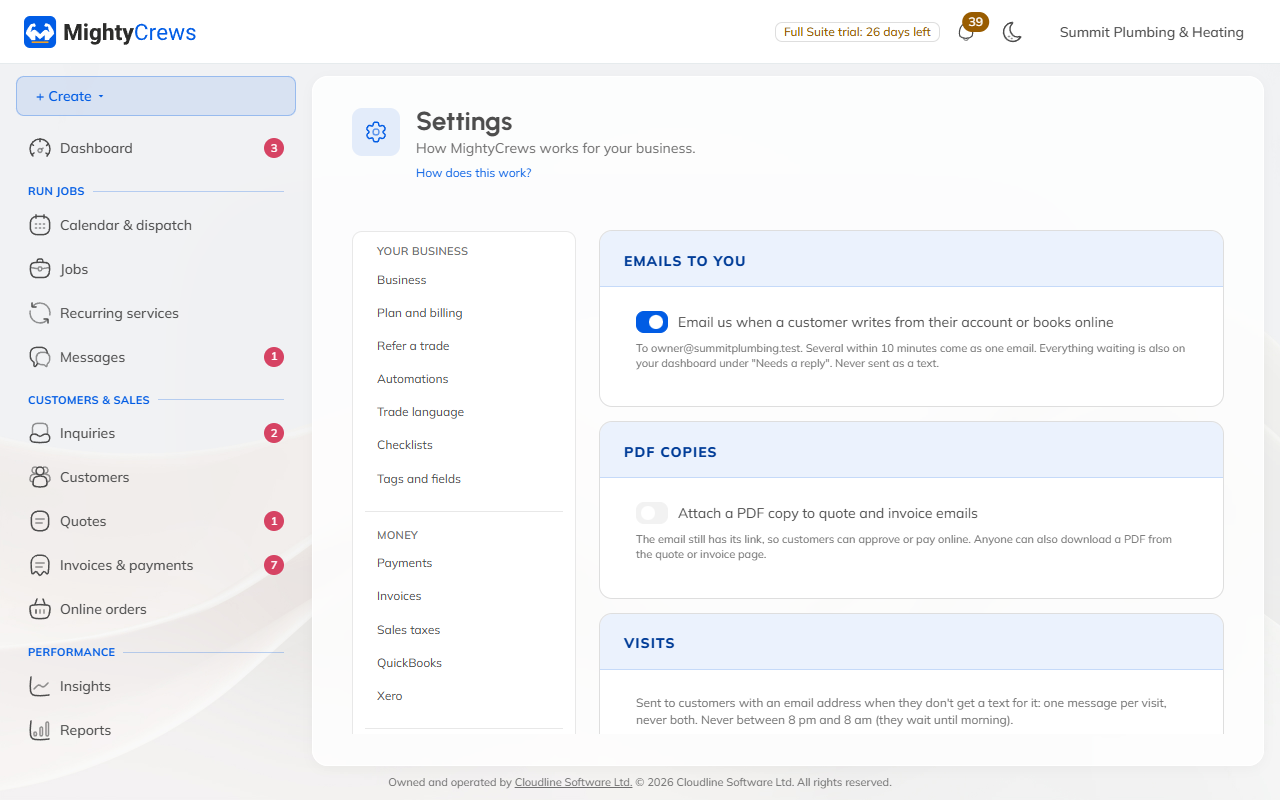
Emails to you
Under Emails to you, choose whether we email you when a customer writes from their account or books online.
To stop reminders for one customer, tick No reminder emails on their page. Every quote and invoice keeps a list of what was sent, with See the email.
Still stuck? Open Help & support in the app and write to us, or email support@mightycrews.com.