
Text your customers
Turn on texting to send confirmations, reminders and On my way by text, and text back and forth with customers.
Texting is on Full Suite Plus. When you move to Plus there's a one-time $45 texting activation.
Get your texting number
- Open Settings and choose Texting.
- In Canada: type the area code you'd like and click Get my number. Your number is ready right away.
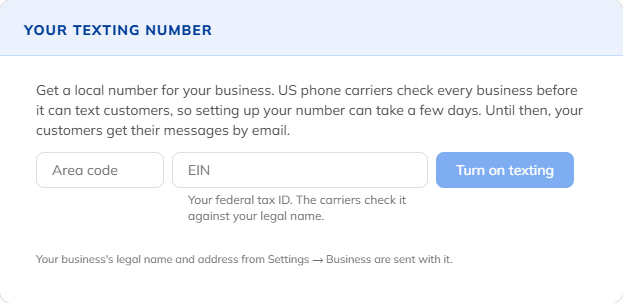
- In the US: type the area code and your EIN (your federal tax ID), and click Turn on texting. The phone carriers check your business, which usually takes a few days. Customers get emails meanwhile, and we email you when texting is on.
Every text starts with your business's name (up to 20 characters), which you can change under Name in texts.
What gets texted
- Booking confirmation, when a visit is booked or moved
- Reminder the day before, at about 10 am. If the customer replies C, the visit is marked confirmed.
- On my way, when your crew taps it on the visit
- Text the link on a quote or invoice
Automatic texts only go to a mobile number, never between 8 pm and 8 am. A customer who gets a text doesn't get the same message by email too.
Text back and forth
Open Messages and the Customers tab. Search for a customer, type your message and click Send text. Their replies come back to the same place.
Fair use and STOP
You get 500 texts per field worker a month, and texts never cost extra. Customers can reply STOP to stop texts, and START to turn them back on. Only the customer can undo a STOP.
Still stuck? Open Help & support in the app and write to us, or email support@mightycrews.com.