
Your price book
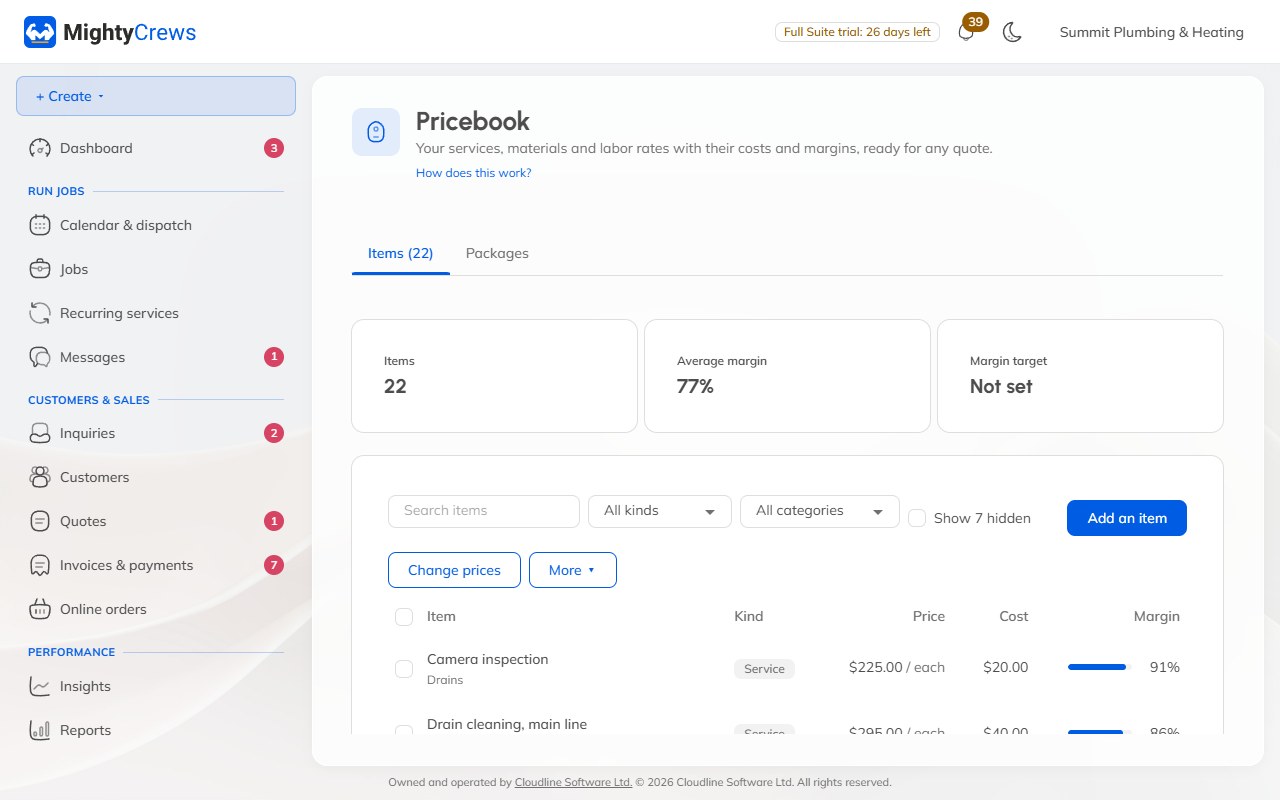
Keep your services, materials and hourly rates in one place, with your costs and margins, ready for every quote.
Add an item
- Open Pricebook and click Add an item.
- Choose the kind: Service, Material, or Labour (an hourly rate).
- Type the name and the price. Add your cost too, and MightyCrews shows your margin as you type.
- Choose the tax, and add a category if you like.
- Click Add item.
Under What the customer reads, add a line that shows under the item on quotes. Team notes are for your crew and never shown to customers. You can add a photo, too.
Find items fast
Search by name, or filter by kind or category. Your average margin is at the top.
Set a margin target from the ⋯ menu, and items below it get an orange mark that only your office sees.
Hide an item
Untick Offer this on new quotes. It stays on old quotes and invoices, but isn't offered any more. Tick Show hidden to see it again.
Selling and booking online
An item can also be sold in your online store (Sell online) or booked online (Book online). Hourly labour rates can't be sold or booked online.
Still stuck? Open Help & support in the app and write to us, or email support@mightycrews.com.