
The crew's day on a phone or tablet
Today's visits, On my way, Start and Complete: everything your crew does in the field.
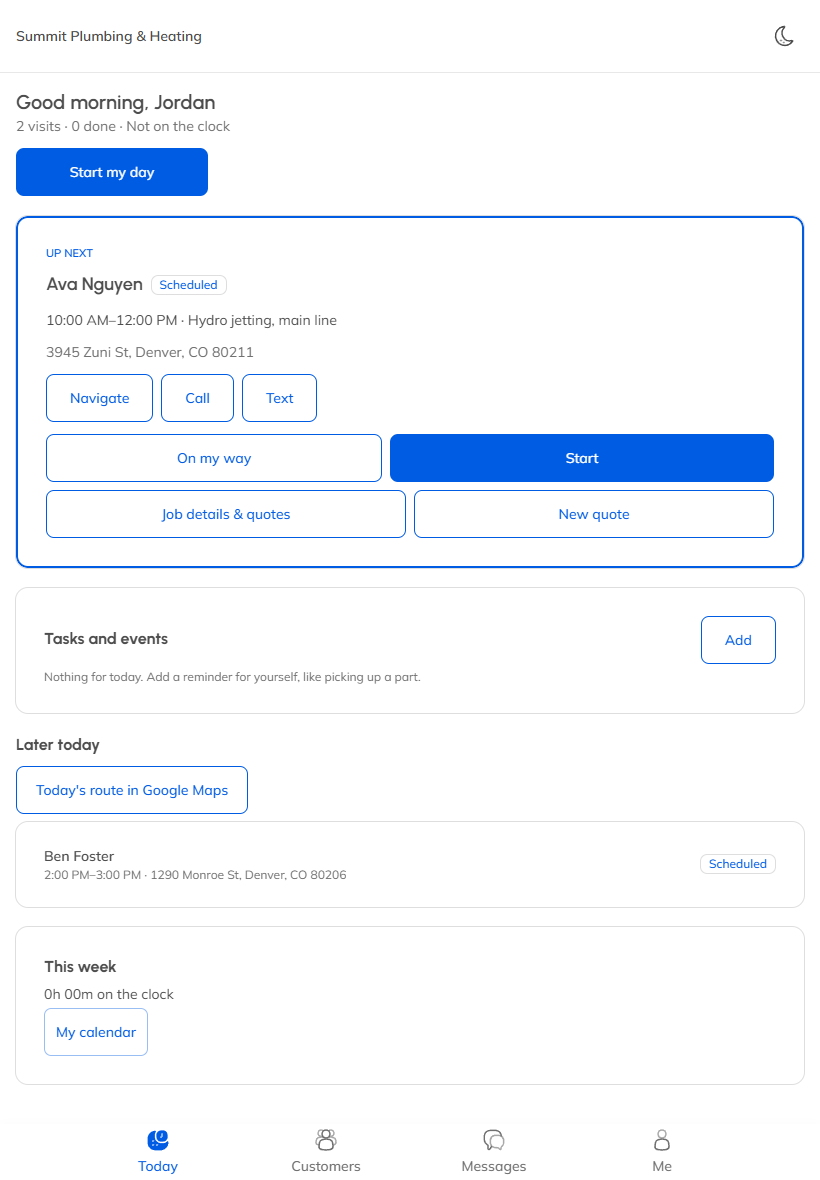
Your crew signs in on their phone or tablet and lands on Today: their visits for the day, in order.
Start the day
If you track hours, they tap Start my day to clock in, and End my day when they're done.
Each visit
The next visit is at the top, with Navigate, Call and Text.
- On my way: pick how many minutes away, and the customer gets a message.
- Start: the visit is under way, and their time on the job starts.
- Complete: when the work is done.
Tap the visit to see the job details, notes, photos and checklist.
No signal?
Today's visits are saved on the phone, so they open with no signal. Changes need a connection, and MightyCrews tells them if something didn't save.
On my way is sent by email on every plan, and by text on Full Suite Plus.
Still stuck? Open Help & support in the app and write to us, or email support@mightycrews.com.