
Enquiries and the Needs a reply list
Every new lead lands in Enquiries, and anything waiting on you shows on your dashboard until it's handled.
Enquiries are called Inquiries for US businesses; they work the same way.
Where enquiries come from
- The contact form on your MightyCrews website
- Your website price estimators
- Online booking, when no time suits the customer or they're outside your area
- Your crew, asking the office to follow up
- You, adding one by hand with New enquiry
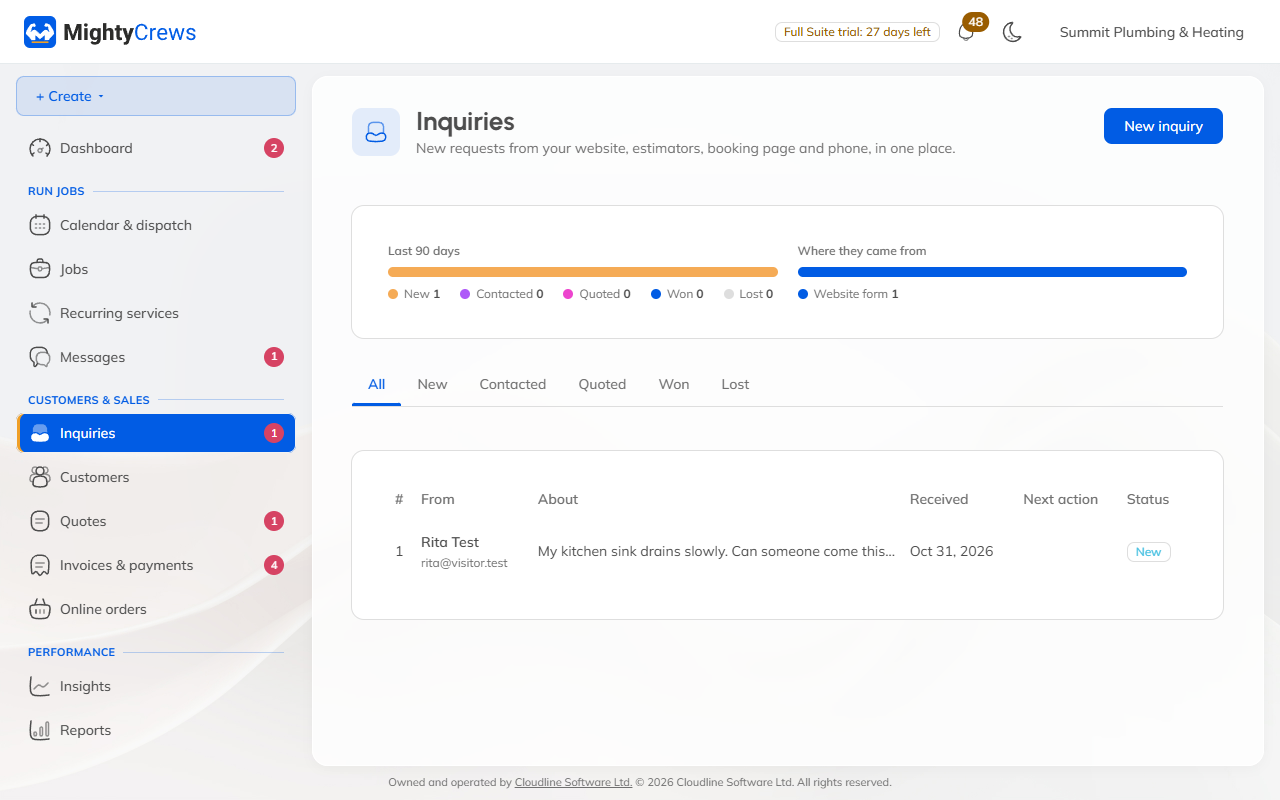
Turn an enquiry into work
- Open Enquiries and click the enquiry.
- Click Create customer. Their details are copied for you.
- Click Make a quote. Or, from More actions, Make a job.
The enquiry moves along by itself: it's Quoted when you send a quote, and Won when the quote is approved or a job is made. Use Mark lost for the ones that don't go ahead.
Needs a reply
Your dashboard keeps a Needs a reply list: new enquiries, booking requests, messages from customers' accounts and details they've asked you to change. Anything older than a day turns red, and the number on Dashboard in the menu tells you how many are waiting.
To get an email when something new comes in, open Settings, then Emails, and turn on the email under Emails to you.
Still stuck? Open Help & support in the app and write to us, or email support@mightycrews.com.