
Sell online with your store
Put items from your price book in an online store, and customers pay by card and pick up or get it on their next visit.
The online store is free on every plan. It needs card payments turned on first.
Choose what you sell
- Open Pricebook and click an item.
- Tick Sell online.
- Add a photo and a description for the customer, and save.
Open the store
- Open Settings and choose Online store.
- Choose how customers get their order: Pick up at your address, or Bring it on their next visit.
- Click Open the store.
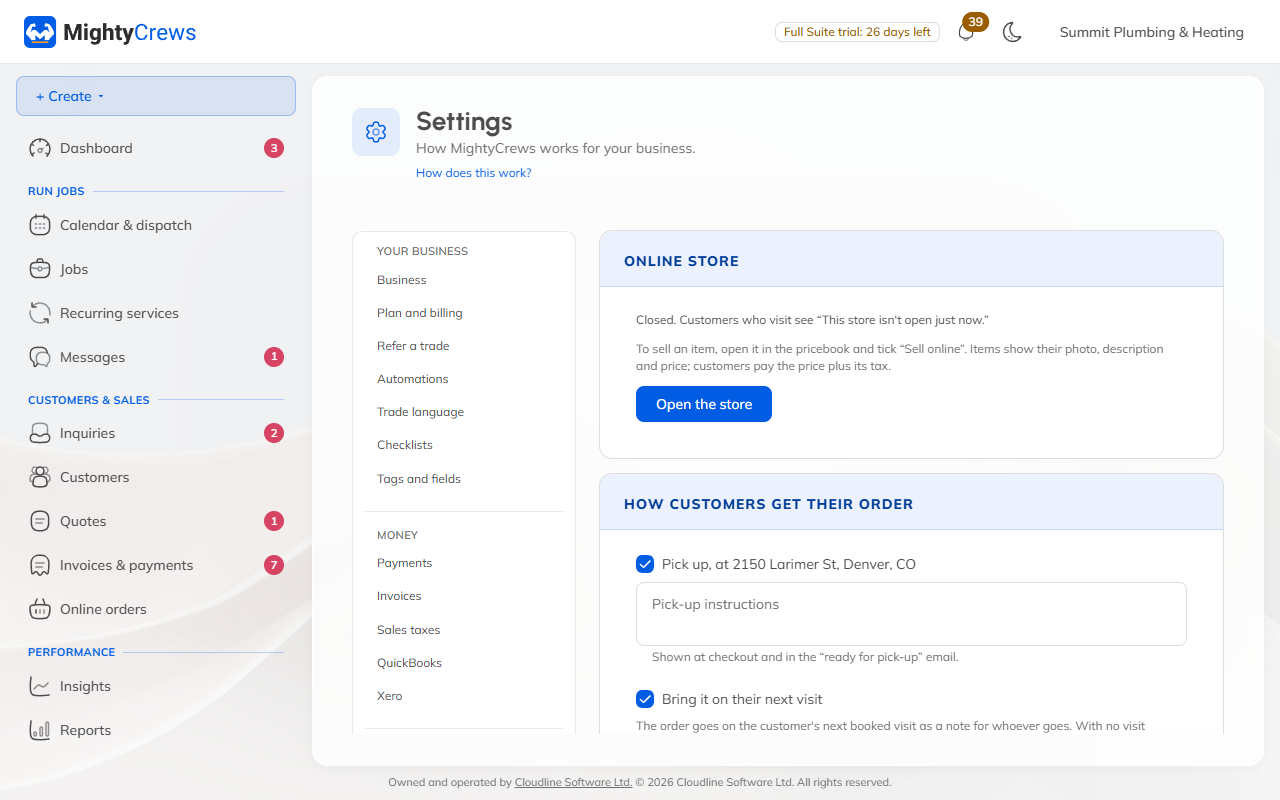
Your store is at mightycrews.com/store/ and your store name. Copy the code under On your own website to add it to your own site too.
When an order comes in
The customer pays by card when they order. Open Online orders in the menu:
- For pick-up, click Ready for pick-up (the customer gets an email), then Picked up, done.
- For next-visit orders, click Add to next visit, then Delivered, done.
Each order makes a paid invoice for you. To cancel one, click Cancel order, then Refund.
Still stuck? Open Help & support in the app and write to us, or email support@mightycrews.com.