
Saved cards and autopay
Customers save a card once, and their invoices are paid automatically on the due date.
Saved cards and autopay are on every plan. Card payments need to be on first.
How customers save a card
- When they pay an invoice online, they tick Save my card and pay future invoices automatically.
- From an autopay link you send them. Nothing is charged until an invoice is due.
- From their own account, under Card and autopay.
Send an autopay link
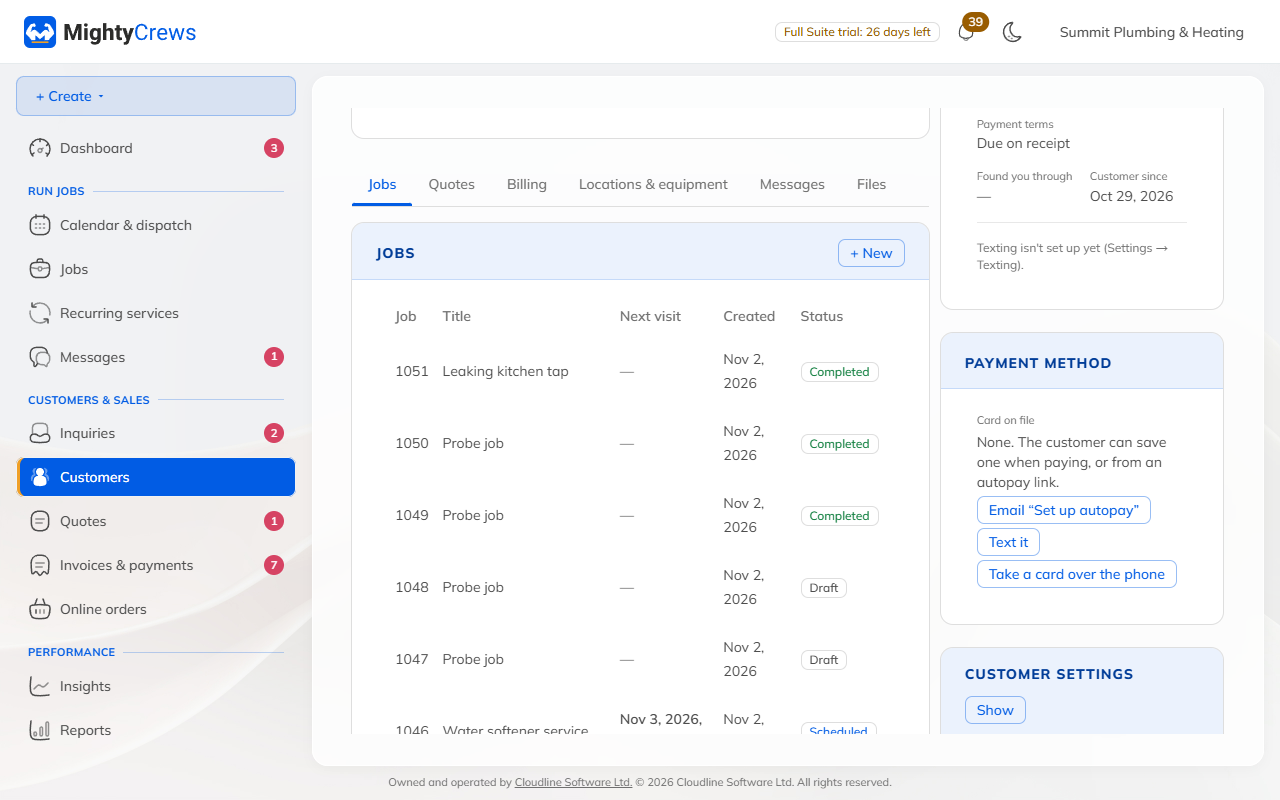
Open the customer, and under Card on file click Email "Set up autopay" or Text it. You can also click Take a card over the phone.
When cards are charged
On the invoice's due date, at 9 am. An invoice that's due on receipt is charged as soon as it's issued. The invoice email tells the customer when their card will be charged. Deposits are never charged automatically.
To charge right away, click Charge the card on file on the invoice. To skip one invoice, click Don't charge automatically.
If a charge fails
MightyCrews tries once more 3 days later. If that fails too, autopay pauses for that customer, and they get an email with a button to pay and to update their card. Cards about to expire get a reminder a month before.
Turn autopay off or Remove card on the customer's page any time.
Still stuck? Open Help & support in the app and write to us, or email support@mightycrews.com.