
Sign up and set up your business
Create your free account, then a short guide sets up your logo, sales tax, ways to get paid and your team.
Signing up is free and needs no card. You start with 30 days of Full Suite, and you can stay on the Free plan after that for as long as you like.
Create your account
- Go to mightycrews.com/signup.
- Sign up with Google, or type your name, email and a password (at least 10 characters).
- Add your business name, phone, country, state or province, and time zone.
- Click Create my account.
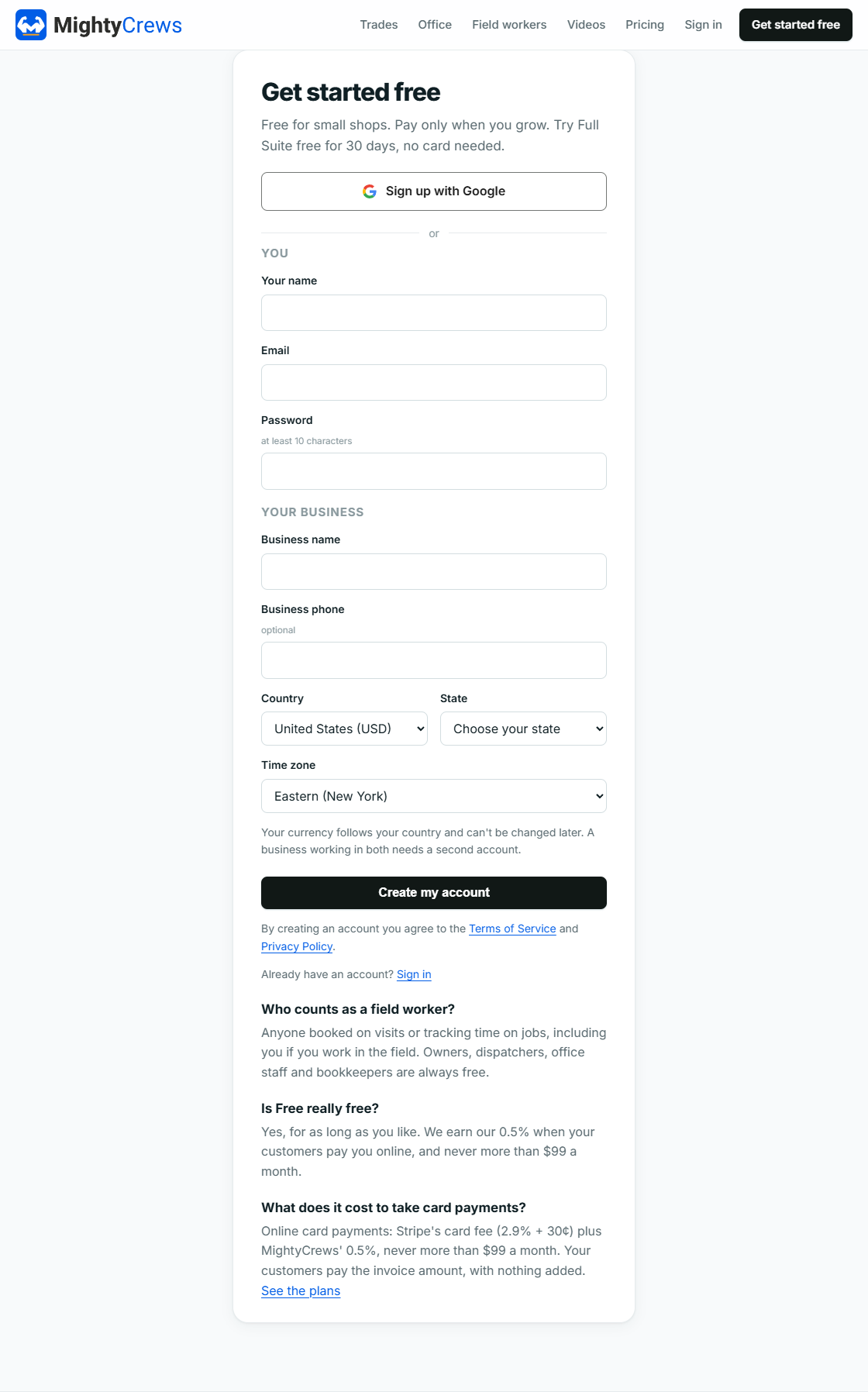
Your country sets your currency, and it can't be changed later, so pick the country where you bill your customers.
Tell us about your business
Next you'll see Set up your business. Pick the trades you do, the kind of work (service calls, maintenance, installations or projects), and whether you go out on jobs yourself. Click Finish setup. MightyCrews uses your answers to word things the way your trade does.
The Get set up guide
A 10-step guide walks you through the rest. Each step saves as you go:
- Your logo
- Your business details
- Sales taxes
- Ways to pay
- When invoices are due
- Billing by the hour
- Dispatch fee
- Google reviews
- Customer portal
- Your team
Click Skip for now on any step you don't need yet, or Finish later to come back to it. A banner on your dashboard takes you back where you left off. At the end, click Go to my dashboard.
Only an Admin can run the setup guide.
Still stuck? Open Help & support in the app and write to us, or email support@mightycrews.com.