
Calendar and dispatch
See everyone's week, and drag visits onto a person and day to book or move them.
Calendar & dispatch shows your team's week, one row per person.
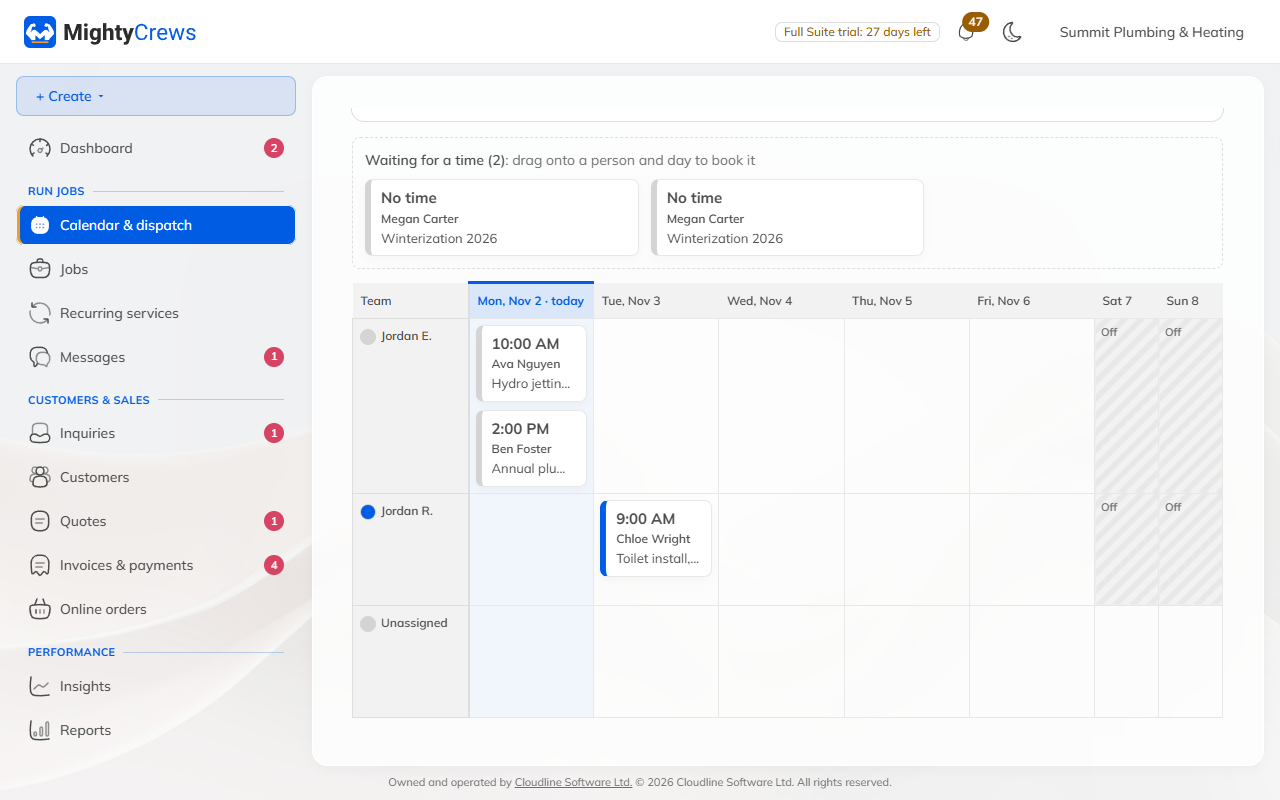
Book a visit by dragging
Visits that still need a time wait in the strip at the top: Waiting for a time.
- Drag a visit onto a person and a day.
- It's booked from 9 to 11 am. Open it to change the time.
Move a visit
- Drag it to another day or another person. It keeps its time.
- Drag it to Unassigned to take it off someone's day.
- Moved it by mistake? Click Undo in the message at the bottom (for 10 seconds).
When a visit moves to a new time, MightyCrews tells the customer for you.
Other views
- List: the week as a list, handy on a phone.
- Today's map: where today's visits are.
- Rain day: move a day's visits in one step.
Dragging between people (the By person view) is on Full Suite. On Free, and on phones, you'll see the list.
Still stuck? Open Help & support in the app and write to us, or email support@mightycrews.com.